How to Spot Suspicious Emails - Part 1
If you’ve ever received an email that just didn’t feel right, you’re not alone. Spam and scam emails are becoming more common and unfortunately, people over 50 are often targeted because scammers assume they may trust what they see.
Gavin Stradling
6/3/20262 min read
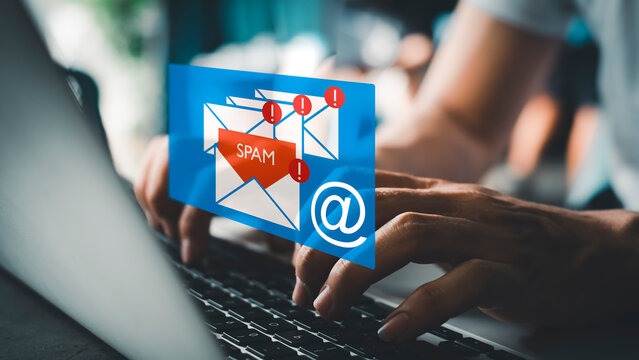
How to Spot a Spam Email (And Stay Safe Online)
The good news?
👉 Once you know what to look for, these emails become surprisingly easy to spot.
💡 The Simple Rule to Remember
If an email tries to make you feel:
Worried
Rushed
Curious in a suspicious way
👉 Pause before you click anything
Scammers often rely on pressure and emotion, not clever technology.
🚩 5 Common Signs of a Spam Email
1. It Creates Urgency (“Act Now!”)
Spam emails often say things like:
“Your account has been locked”
“Immediate action required”
“Click now to avoid losing access”
👉 Real companies rarely pressure you like this without giving proper notice.
2. The Sender Looks Almost Right (But Not Quite)
At first glance, it might say it’s from:
Your bank
A delivery company
A government service
But the email address might include something slightly off:
Extra letters
Strange spelling
A random domain
👉 Always check the sender carefully—not just the name.
3. It Asks You to Click a Link or Open an Attachment
This is one of the biggest warning signs.
Examples:
“Track your parcel here”
“View your invoice”
“Confirm your details”
👉 Clicking these links can take you to fake websites designed to steal your information. [seniorsite.org]
4. It Asks for Personal Information
No legitimate organisation will email you asking for:
Passwords
Bank details
Personal identification
👉 If they need that information, they will direct you to a secure official process—not ask in an email.
5. Something Just Feels “Off”
Trust your instinct.
Look for:
Spelling mistakes
Unusual wording
Strange formatting
Generic greetings like “Dear Customer”
👉 Many scam messages contain small errors or inconsistencies. [senior-talk.com]
🧠 A Simple Way to Think About It
👉 Treat unexpected emails like a stranger knocking on your door.
If someone you don’t recognise:
Asks for personal details
Tries to rush you
Wants you to act quickly
You wouldn’t let them in.
📧 The same rule applies online
✅ What To Do Instead
If you’re unsure about an email:
✔ Do this:
Go directly to the company’s official website (don’t click the email link)
Contact the organisation using a phone number you trust
Ask a friend or family member if you’re unsure
❌ Avoid this:
Don’t click links
Don’t download attachments
Don’t reply to the email
👉 When in doubt, delete it and move on
🌼 A Small Step for Today
Next time you receive an unexpected email:
👉 Take 10 seconds and ask:
“Is this trying to rush me or get information from me?”
If the answer is yes, or even maybe...
👉 Don’t click anything.
💬 Final Thought
You don’t need to understand complex cybersecurity to stay safe.
👉 Just a few simple habits can protect you from almost all common scams.
And remember:
You’re not behind—you’re learning to navigate the digital world more wisely than most.